PDFCraft: Building a Privacy-First, Client-Side PDF Merger & Compressor
Every time you upload a PDF to a web-based tool, you are sending your document to a server you do not control. We built PDFCraft to remove that risk entirely: a 100% client-side PDF merger and compressor that processes your files directly in the browser, with no uploads, no servers, and no privacy trade-offs.
The Problem With Online PDF Tools
Merging or compressing a PDF feels like a simple task. In practice, it usually means uploading your document to a third-party service, waiting for their servers to process it, and downloading the result. For most files that is acceptable. For anything confidential, it is not.
Contracts, financial statements, medical records, and legal documents pass through these services every day without users fully understanding where they go or how long they are retained. And even for non-sensitive files, the upload-process-download cycle is slower than it needs to be.
We wanted a tool that was fast, worked offline, and gave users a genuine guarantee of privacy. Not a privacy policy, but a technical impossibility of leaking data. PDFCraft achieves that by doing everything inside the browser using WebAssembly.
What is PDFCraft?
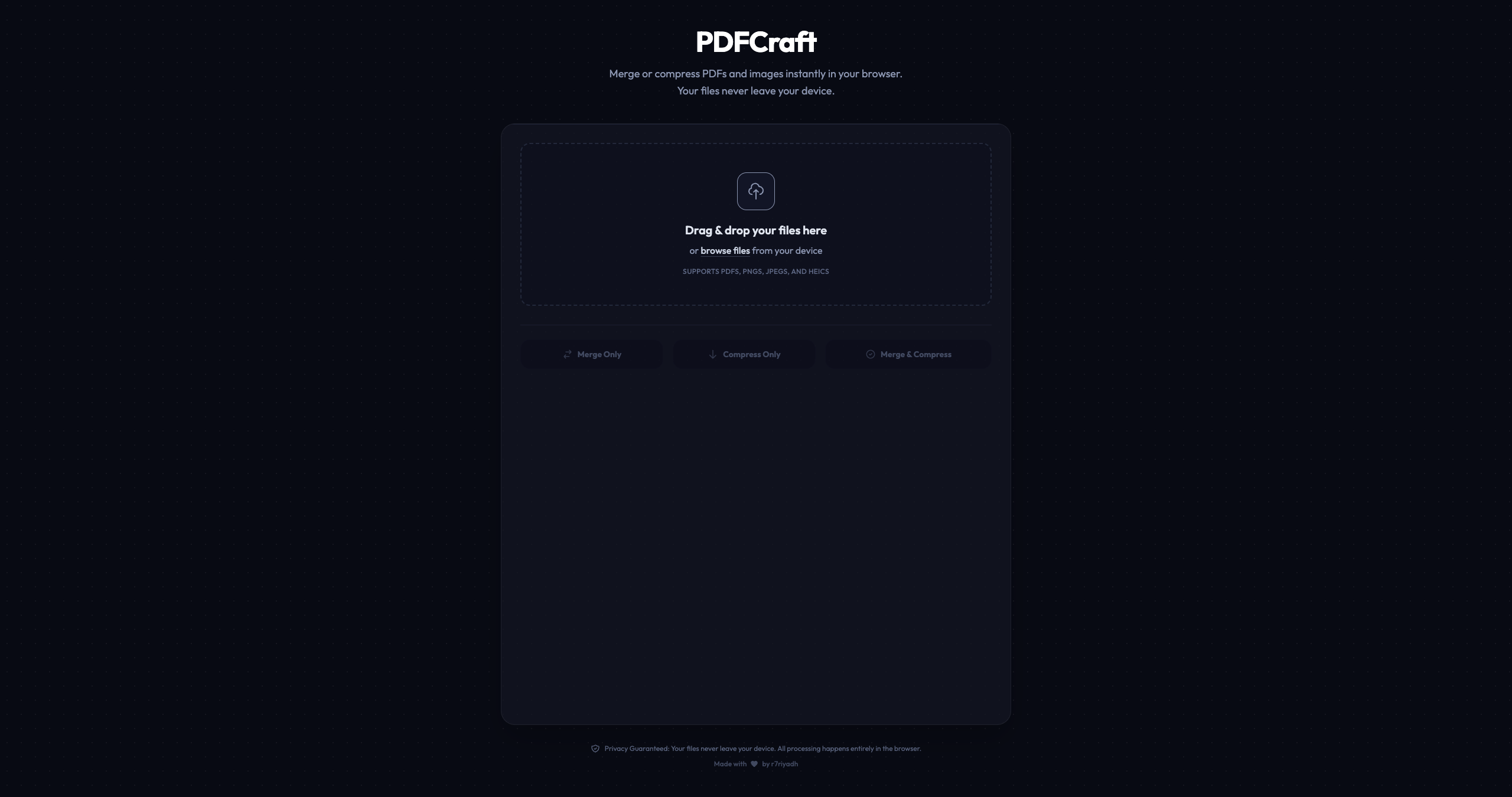
PDFCraft is a high-performance, browser-based utility for merging multiple PDFs into one and compressing the result to your preferred quality level. It is built on TypeScript and Vite, with two specialist libraries doing the heavy lifting: pdf-lib for client-side page assembly and MuPDF compiled to WebAssembly for compression.
No file data is ever sent to a server. No network requests are made with your documents. All processing happens in local browser memory, which means PDFCraft works entirely offline once it has loaded, regardless of your connection speed.
How PDFCraft Works
1. Add and Arrange Your Files
Drag and drop your PDF files into the interface, or use the file browser to select them. Once loaded, you can reorder files by dragging them into the sequence you want before processing. PDFCraft preserves the order you set when assembling the final document.
2. Choose a Quality Preset
Select one of three compression presets: Medium for a standard file size reduction, High for the recommended balance of quality and size, or Best for maximum quality with minimal compression. The preset controls how MuPDF optimizes each page, handles image downscaling, and strips embedded metadata from the output.
3. Process and Download
Click process and PDFCraft assembles the merged document using pdf-lib, then passes it through the MuPDF WebAssembly engine for compression. When it is done, your browser downloads the result directly. The entire operation happens in memory. Nothing is written to a server, logged in a database, or retained after you close the tab.
Key Highlights & Takeaways
- 100% client-side processing: no file uploads, no server requests, no data retention of any kind.
- WASM-powered compression via a WebAssembly build of MuPDF, enabling native-speed PDF optimization entirely in the browser.
- Three quality presets (Medium, High, Best) giving users direct control over the size-to-quality tradeoff.
- Proportional page scaling that normalizes dimensions to match the first document without distorting content or aspect ratios.
- Works fully offline once loaded, with no dependency on network connectivity during processing.
Technical Case Study: WASM in the Browser
The compression engine is a WebAssembly build of MuPDF, a professional-grade PDF rendering and manipulation library. Compiling MuPDF to WASM brings near-native processing speed to the browser without a server. It handles the computationally expensive work: optimizing page rendering instructions, downscaling embedded images, and stripping metadata that contributes to file bloat.
The merging pipeline uses pdf-lib, a pure JavaScript library for creating and modifying PDFs in the browser. PDFCraft iterates through each input file sequentially, copies its pages into a single output document, and normalizes page dimensions against the first file in the queue. This prevents the jarring size jumps you get when merging documents with different page formats.
The frontend is TypeScript with Vite as the bundler. There is no framework overhead: the UI is plain HTML and Vanilla CSS, keeping the bundle small and the load time fast. Vite's build pipeline handles the WASM module correctly out of the box, making the deployment straightforward. The drag-and-drop reordering is implemented natively without a library dependency.
Conclusion & Next Steps
PDFCraft is a simple tool that does exactly what it promises: merge and compress PDFs with complete privacy, at native speed, with no server involved. It shows that WebAssembly has matured to the point where computationally intensive tasks that once required backend infrastructure can now run entirely in the browser.
The live demo is available at pdfcraft.riyadhalmahmud.tech and the full source code is published on GitHub. If you work with sensitive documents and are looking for a trustworthy local alternative to web-based PDF tools, PDFCraft is ready to use.
About nodedCode Studio
We are a forward-thinking digital studio specializing in high-performance web engineering and advanced technical architectures for the modern digital space and Web3 ecosystem.
Start your project